
Little to memorize
The types are integers and arrays, selection is if / else, and iteration is while. Spend your time thinking about how the program should work, not memorizing syntax.
A programming language for learning programming
A small programming language that lets you focus on thinking through the steps, using only sequence, selection and iteration. It runs right in your browser, and you can run a program line by line while watching its variables. Free and open source.
PG0 is a very simple language for learning, yet you write it the same way as a full-fledged programming language. It was made for learning the basics of programming, that is, how to think in algorithms, before moving on to a full-fledged language.
The types are integers and arrays, selection is if / else, and iteration is while. Spend your time thinking about how the program should work, not memorizing syntax.
PG0 is written much like C, C++, C#, Java and JavaScript. Once you have the basics in PG0, moving on to those languages comes naturally.
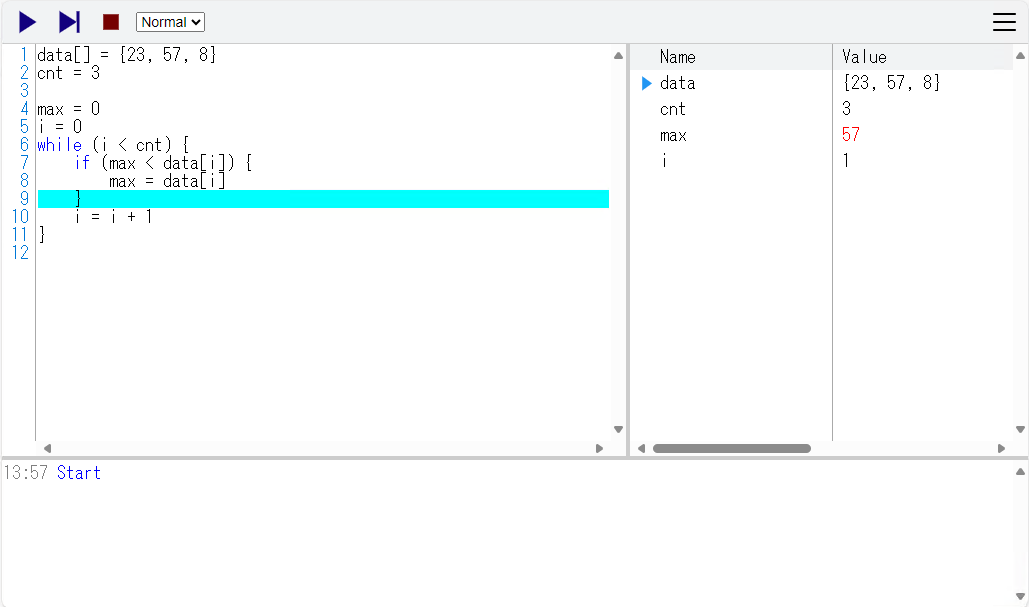
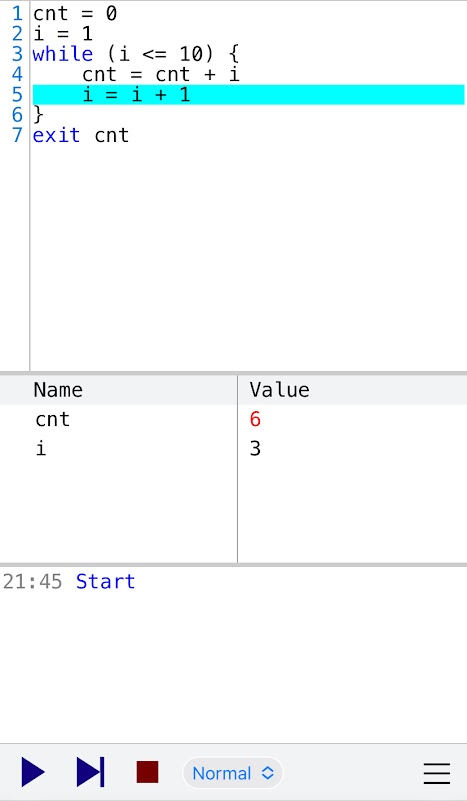
Run line by line or step by step, with the values of the variables shown as they change. You can follow with your own eyes what the program is doing.
No installation and no account. The same environment works in the browser on a PC, tablet or smartphone, in class and at home.
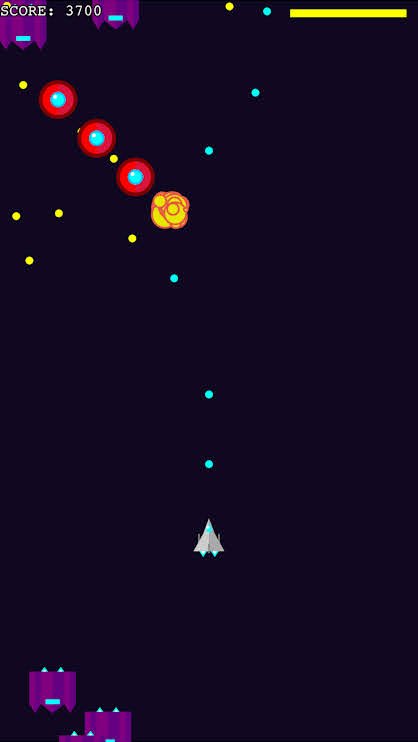
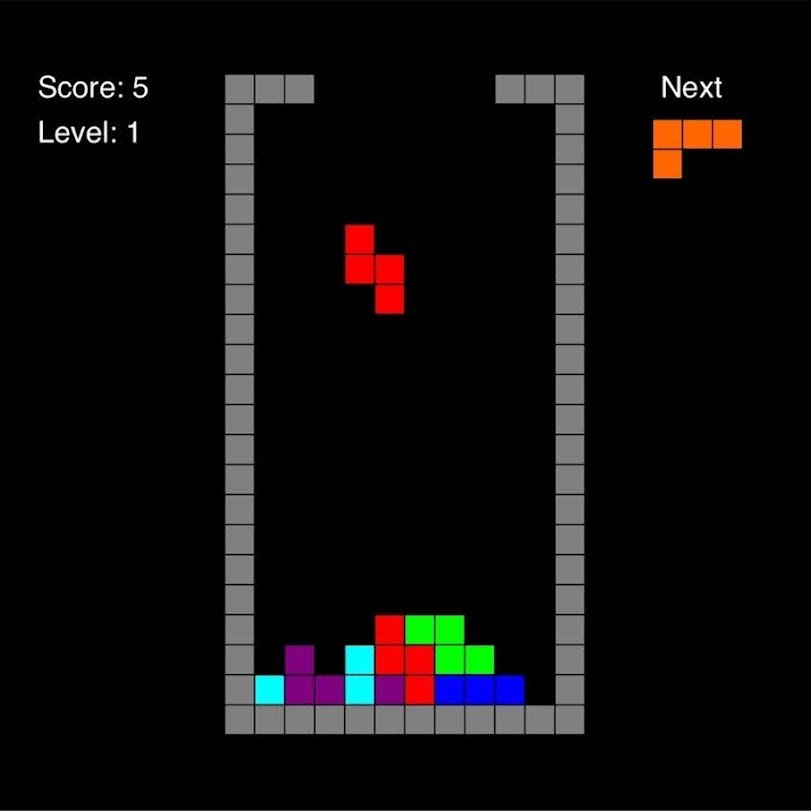
PG0.5, the extended version, has libraries for drawing on the screen, handling keys and touch, and playing sounds. Save your programs online and share them.
All the source code is public. Build PG0 into your own service, or extend it to create a new language. It is also used to study for Japan's university entrance exam subject "Information I".
The PG0 development environment runs your program line by line or step by step, and shows the values of the variables while it runs.
PG0 × AI Agent
A chat with the AI sits next to the PG0 screen. Write "make a ..." and the AI writes the PG0 program straight into the editor, checks its syntax, test-runs it and reports the result. Students go through the loop of telling, reading and fixing with their own hands.
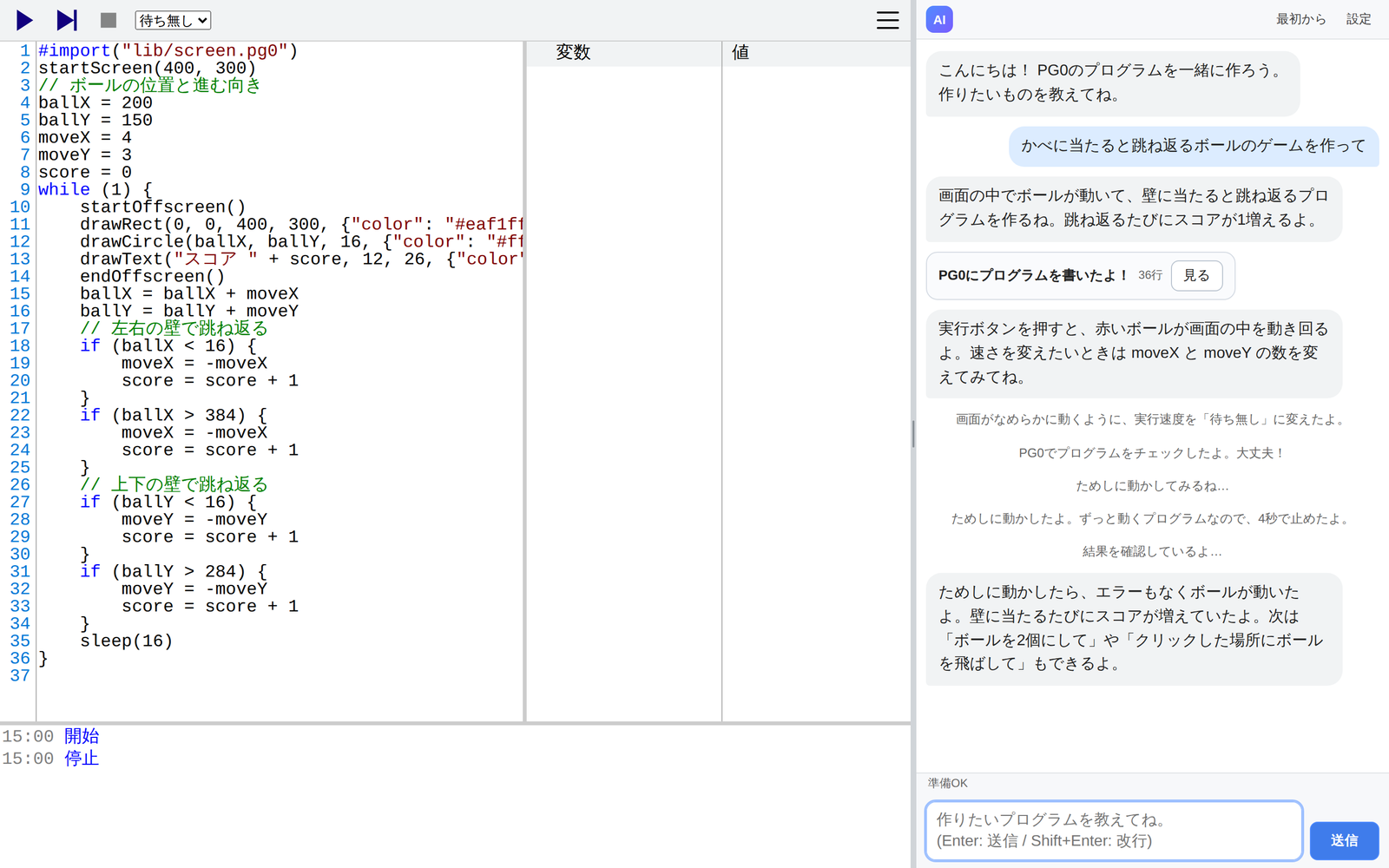
There is no pasting the AI's answer into the editor. The line being written stays in the middle of the screen, and when it is done you just press Run and play.
The AI talks at the level of upper elementary school and up, and adds a short explanation to difficult words, such as "a variable (a box that holds a number)". Students can talk with it on their own, without a teacher translating.
The AI does not stop at writing. It checks the syntax, runs the program for a few seconds, and even tries key and touch input to see how it moves. It fixes errors before showing the program.
PG0's syntax is simple, so even elementary school students can read what the AI wrote. Following it line by line with step execution turns checking the AI's answer into learning.
"Make a fun game" will not get you what you imagine. What moves, how, and what counts as success? Students practice breaking down what they want and putting it into words.
Hand out an access code and it is ready to use. The classroom admin page shows usage and sets monthly and daily limits. The AI writes nothing but PG0 and PG0.5 programs.
Just write in the chat. When the request is unclear, the AI asks back.
No copying to another screen. The line being written is shown in the middle.
Check the syntax, run, look at the screen, and fix if needed. The AI fixes errors before you see them.
Change the numbers, follow it line by line, or ask for "two balls" next.
Learning by repeating When it does not work as you thought, think again about how to say it so it is understood. That trial and error is itself practice in using AI well.
The AI agent needs an access code. If you are considering a trial or introduction in a classroom or school, please contact us. The contact form is in Japanese.
PG0 has an API that lets an AI write, test and save PG0 programs online. Give an AI coding tool such as Claude Code, or a chat AI that can read web pages, the URL of the PG0 manual and ask it to make something, and you get back the URL of the finished program.
The PG0 API itself is free and needs no sign-up. The AI service you use, such as Claude Code, needs its own account and fees.
Two languages and two development environments. The same programs run in any combination.
The smallest language for learning the basics
Made for thinking through algorithms by combining sequence, selection and iteration. For those touching programming for the first time, and those who want to learn to think in algorithms.
The extended version for games and tools
Adds strings, real numbers, functions, for and more to PG0, along with libraries for making games. For the stage after the basics, when you want to build what you have in mind.
A development environment in the browser
No installation or sign-up: start right away in the browser on a PC, tablet or smartphone. Works with Chrome, Edge, Firefox and Safari, and opens like an app when added to the home screen.
A download version, ready once installed
A desktop app for Windows 7, 8, 8.1, 10 and 11. Download the installer or the zip file, and the same programs as the web version run on it.
PG0 works right away in your browser. For trying or introducing the AI agent in a classroom or school, or for questions about PG0, please contact us.